

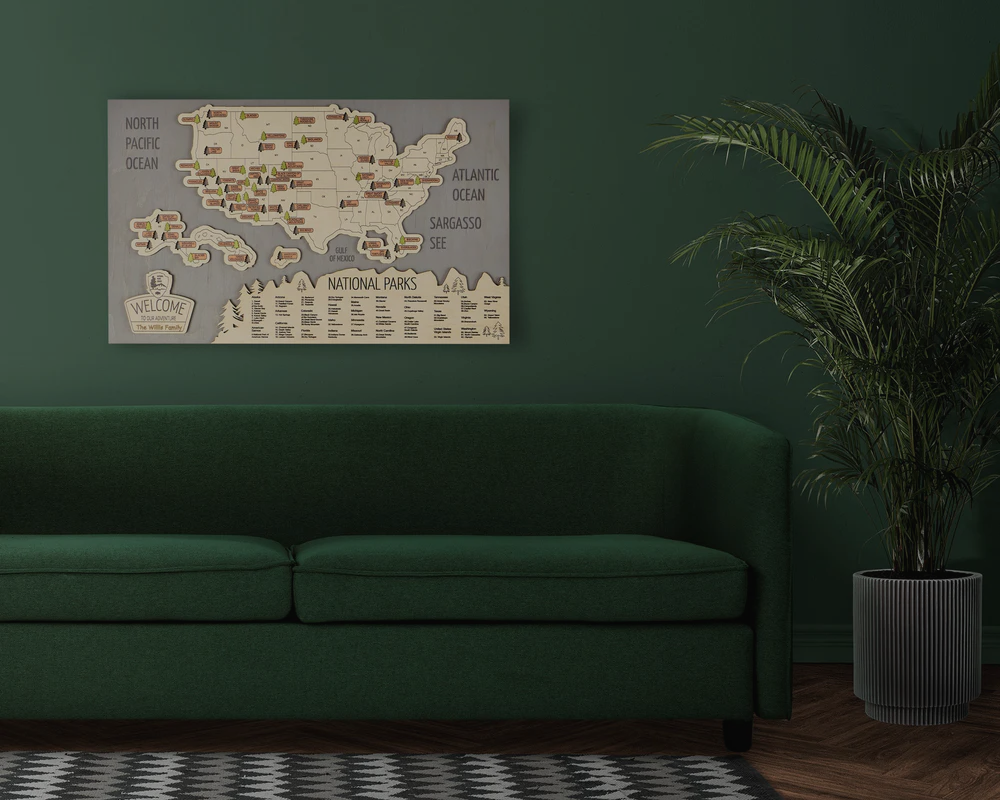

Anyone looking for a map travel tracker is usually trying to solve the same problem: trips pile up, memories scatter across a phone, a photo app, and a drawer of ticket stubs, and there is no single place that shows the whole picture. A good travel tracker map should fix that. It should be the one place where past trips, future plans, and travel goals live together, and it should be quick to update after every trip.
The market answers that need in two very different ways: an app on a phone, or a map on a wall. Neither one is wrong. They just fit different habits, and the right choice depends less on features and more on how a person actually wants to see their own travel history.
What a Travel Map Tracker Should Actually Do
Before comparing formats, it helps to define the job. A working travel map tracker needs to:
- Be genuinely easy to update after a trip — if updating feels like a chore, it stops getting used
- Show progress at a glance, not just store data somewhere
- Separate what is already done from what is still a plan
- Stay accurate over time without needing a full rebuild every year
Every format below handles these four points differently, and that difference is really the whole decision.
Digital Map Travel Trackers (Apps)
Apps like Polarsteps, Visited, or Pin Traveler let a traveler mark countries, states, or cities on a digital map, often with automatic route tracking, travel statistics, and a shareable profile. Some apps generate a percentage of the world visited or turn a trip into a printable poster.
What works well: setup is fast, most core features are free, the map updates automatically while traveling, and sharing with friends or family takes one tap.
What works less well: the tracker lives inside a phone. It depends on an account, an app update, or a subscription staying active, and it has no presence in a room the way a physical object does. A traveler who wants their progress to be visible without opening an app will run into this limit quickly — the record exists, but nobody sees it unless they go looking for it.

Physical Map Travel Trackers (Scratch and Pin Maps)
Scratch-off maps and push-pin maps solve the visibility problem directly: the map hangs on a wall and shows progress without anyone opening anything. Scratch maps are cheap and simple, but the format is one-directional — a scratched country just means "been there," with no way to separate a completed trip from a planned one or a favorite one. The mark is also permanent, so a mistake or a change of plan cannot be undone.
Pin maps solve part of that with color-coded pins, which is closer to what most people actually want from a tracker: a way to distinguish visited, planned, and favorite places on the same map.

US Map Travel Trackers: A Different Tracking Habit
A large share of people searching for a map travel tracker are not trying to track the whole world — they are tracking a specific, finite list inside the US: national parks, state parks, or a set of states they want to complete. That is a narrower and more detailed habit than "countries visited," and it needs a different format. A world map does not have room to track 63 individual national parks or 50 states with any real detail, and most travel apps treat US regions as an add-on rather than the main feature.
This is where a wooden US map tracker tends to work better than either an app or a scratch map. A wood map dedicated to US National Parks or US State Parks can hold that level of detail permanently, and it doubles as a literal checklist of the full system — every park or state is already marked out, so progress is visible against the complete list, not just against a blank canvas. We've written in more detail about building a simple pin-based tracking system on a wooden map — one color for completed trips, another for future plans — in Best Ways to Track Trips, Display Memories, and Plan Future Adventures.

Choosing the Right Format for How You Actually Travel
- Frequent international travel, want automatic logging: an app fits better — the tracking happens with little effort
- Want a visible, shared record at home: a pin map or wooden map works better than anything living on a phone
- Tracking a defined checklist — all US states, all national parks: a wooden US map tracker matches the format of the goal itself
- Want both: log day-to-day travel in an app, and move the milestones — a completed park, a finished state — onto a physical map that stays in view
The Format Matters More Than the Features
A map travel tracker only works if it gets updated, and it only gets updated if it fits how someone actually wants to interact with their travel history. An app is closer to a diary. A wooden map is closer to a scoreboard. Both are legitimate answers — the right one just depends on whether the goal is convenience or visibility.



Leave a comment
This site is protected by hCaptcha and the hCaptcha Privacy Policy and Terms of Service apply.